
Building a Real-Time Data Pipeline: Architecture, Tools, and Best Practices
A technical guide to designing data pipelines that process, transform, and deliver insights in real time — from ingestion to dashboard.
Why Batch Processing Is No Longer Enough
Real-time data pipelines have become the backbone of competitive, data-driven organisations. While batch processing served businesses well for decades — collecting data throughout the day and processing it overnight — the modern business environment demands faster answers. A retailer that waits 24 hours to detect a spike in fraudulent transactions loses money every minute. A logistics company that updates delivery estimates once per hour frustrates customers who expect minute-by-minute accuracy.
The shift from batch to real-time is not about replacing one paradigm with another. It is about recognising that different business questions require different latency guarantees. Some analytics can wait until tomorrow. Others cannot wait 10 seconds. The challenge is building an architecture that handles both gracefully, without doubling your infrastructure costs or your engineering team's cognitive load.
This guide walks you through the architecture, tooling decisions, and operational practices that make real-time data pipelines reliable and cost-effective. Whether you are processing thousands of events per second or millions, the foundational patterns remain the same.
Batch vs Stream Processing: When You Need Each
Batch and stream processing are complementary, not competing approaches. Choosing the right one depends on your latency requirements, data volume, processing complexity, and cost tolerance. Understanding the trade-offs is the first step toward designing the right architecture.
| Characteristic | Batch Processing | Stream Processing |
|---|---|---|
| Latency | Minutes to hours | Milliseconds to seconds |
| Data scope | Processes complete, bounded datasets | Processes unbounded, continuous streams |
| Processing model | MapReduce, SQL queries on stored data | Event-driven, windowed aggregations |
| Complexity | Lower — well-understood patterns | Higher — ordering, late arrivals, state management |
| Cost profile | Predictable — runs on schedule | Variable — scales with event volume |
| Error handling | Reprocess entire batch | Dead-letter queues, event replay |
| Best for | Historical analysis, ML training, reporting | Fraud detection, monitoring, live dashboards |
| Tooling | Spark, Hive, dbt, Airflow | Kafka, Flink, Spark Streaming, Kinesis |
Use batch processing when:
- You need complex transformations across large historical datasets.
- Latency of minutes to hours is acceptable.
- You are training machine learning models on historical data.
- You are generating periodic reports (daily, weekly, monthly).
Use stream processing when:
- You need sub-second or near-real-time responses.
- You are monitoring systems for anomalies, fraud, or operational issues.
- You are powering live dashboards or real-time personalisation.
- You need to trigger actions based on events as they happen.
Most production architectures use both. The "Lambda architecture" — running parallel batch and stream paths — was the original approach, but the industry has increasingly moved toward the "Kappa architecture," where the stream processing layer handles both real-time and historical reprocessing by replaying events from a durable log like Apache Kafka.
Info
The Kappa architecture simplifies operations by maintaining a single processing path. Instead of debugging discrepancies between batch and stream results, you maintain one pipeline and replay events when you need to reprocess historical data. This is only practical if your event store (typically Kafka) retains data long enough for reprocessing — which, with tiered storage, is now feasible for months or even years of data.
Anatomy of a Real-Time Data Pipeline
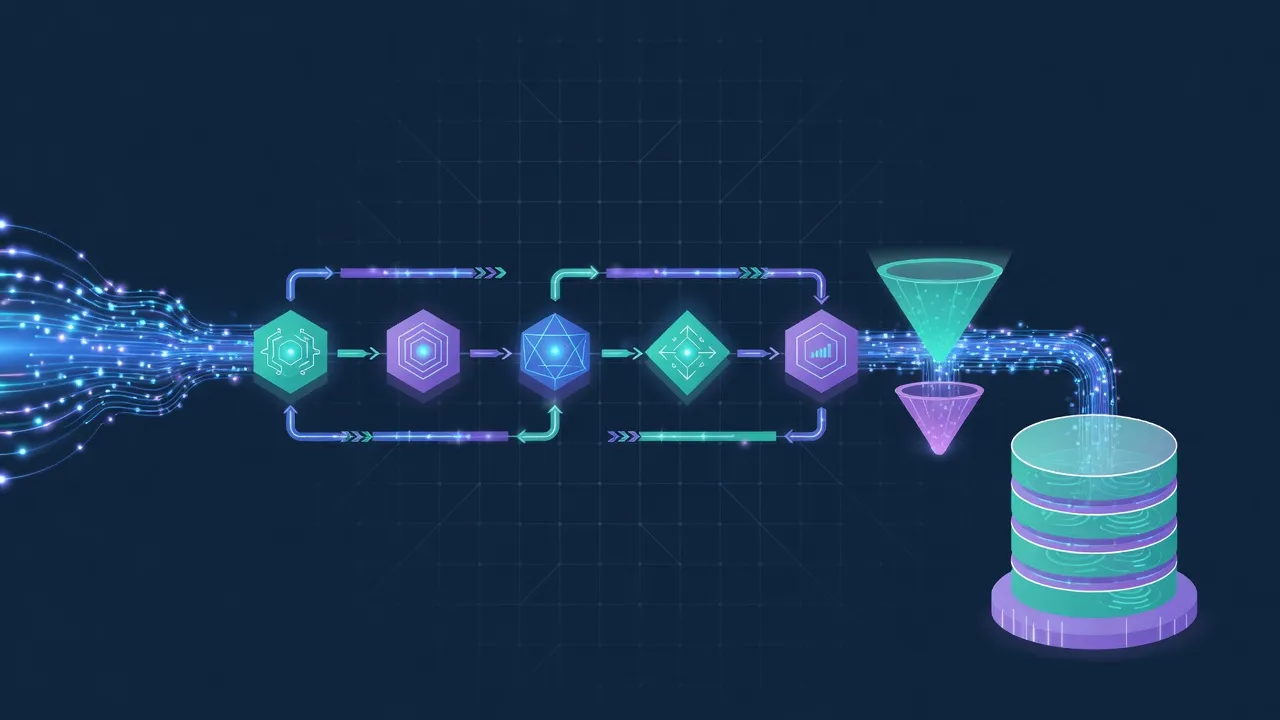
A real-time data pipeline consists of four layers, each with distinct responsibilities. Designing these layers independently allows you to scale, replace, and optimise each one without disrupting the others.
1. Ingestion Layer
The ingestion layer is responsible for capturing events from source systems and making them available for downstream processing. It must be highly available, horizontally scalable, and durable — losing events is unacceptable in most use cases.
Apache Kafka is the industry standard for event ingestion. It provides a distributed, fault-tolerant commit log that decouples producers from consumers. Events are written to topics, partitioned for parallelism, and retained for a configurable duration. Kafka's design guarantees ordering within a partition and at-least-once delivery.
Amazon Kinesis Data Streams is a fully managed alternative on AWS. It removes the operational overhead of managing Kafka clusters but offers less flexibility in configuration and retention. For teams already on AWS who want to minimise operational burden, Kinesis is a pragmatic choice.
Google Cloud Pub/Sub provides a serverless messaging service with automatic scaling. It uses a push-based model by default (compared to Kafka's pull-based model), which simplifies consumer implementation but can make backpressure management more challenging.
Here is a basic Kafka producer in TypeScript using the KafkaJS library:
import { Kafka, CompressionTypes } from 'kafkajs';

const kafka = new Kafka({
  clientId: 'order-service',
  brokers: ['kafka-1:9092', 'kafka-2:9092', 'kafka-3:9092'],
  ssl: true,
  sasl: {
    mechanism: 'scram-sha-512',
    username: process.env.KAFKA_USERNAME!,
    password: process.env.KAFKA_PASSWORD!,
  },
});

const producer = kafka.producer({
  idempotent: true, // Ensures exactly-once semantics at the producer level
});

interface OrderEvent {
  orderId: string;
  customerId: string;
  items: Array<{ productId: string; quantity: number; price: number }>;
  total: number;
  currency: string;
  timestamp: string;
}

async function publishOrderEvent(order: OrderEvent): Promise<void> {
  await producer.connect();

  await producer.send({
    topic: 'orders.created',
    compression: CompressionTypes.LZ4,
    messages: [
      {
        key: order.customerId, // Partition by customer for ordering
        value: JSON.stringify(order),
        headers: {
          'event-type': 'ORDER_CREATED',
          'schema-version': '2',
          'correlation-id': crypto.randomUUID(),
        },
      },
    ],
  });
}
And the corresponding consumer:
import { Kafka, EachMessagePayload } from 'kafkajs';

const kafka = new Kafka({
  clientId: 'analytics-consumer',
  brokers: ['kafka-1:9092', 'kafka-2:9092', 'kafka-3:9092'],
});

const consumer = kafka.consumer({
  groupId: 'analytics-pipeline',
  sessionTimeout: 30000,
  heartbeatInterval: 3000,
});

async function startConsumer(): Promise<void> {
  await consumer.connect();
  await consumer.subscribe({ topics: ['orders.created'], fromBeginning: false });

  await consumer.run({
    autoCommit: false, // Manual commit for exactly-once processing
    eachMessage: async ({ topic, partition, message }: EachMessagePayload) => {
      const order = JSON.parse(message.value!.toString());
      const schemaVersion = message.headers?.['schema-version']?.toString();

      try {
        // Transform and load the event
        await processOrderEvent(order, schemaVersion);

        // Commit offset only after successful processing
        await consumer.commitOffsets([
          { topic, partition, offset: (BigInt(message.offset) + 1n).toString() },
        ]);
      } catch (error) {
        // Send to dead-letter queue on failure
        await publishToDeadLetterQueue(topic, message, error);
      }
    },
  });
}
Tip
Always use manual offset commits in stream processing consumers. Auto-commit can acknowledge events before they are fully processed, leading to data loss if the consumer crashes mid-processing. Manual commits ensure at-least-once delivery semantics.
2. Processing and Transformation Layer
The processing layer consumes events from the ingestion layer, transforms them, enriches them with additional context, and prepares them for storage or immediate action. This is where business logic lives.
Apache Flink is the most capable stream processing framework available. It provides exactly-once processing semantics, sophisticated windowing (tumbling, sliding, session windows), and support for both stream and batch processing in a unified API. Flink's stateful processing model makes it ideal for complex event processing, pattern detection, and real-time aggregations.
Spark Structured Streaming extends Apache Spark's batch processing model to handle streaming data. If your team already uses Spark for batch analytics, Structured Streaming provides a familiar API. However, it uses a micro-batch model by default, which introduces slightly higher latency compared to Flink's true streaming model.
Custom consumers (like the KafkaJS example above) are appropriate for simpler transformations. If your processing logic is straightforward — validate, transform, write — a custom consumer avoids the operational overhead of managing a Flink or Spark cluster.
Processing patterns you will encounter:
- Stateless transformations: Filtering, mapping, enrichment with external data. Each event is processed independently.
- Stateful aggregations: Counting events per user, calculating running averages, maintaining session state. Requires state management and checkpointing.
- Windowed computations: Aggregating events over time windows (e.g., "orders per minute in the last 5 minutes"). Requires handling late-arriving events.
- Complex event processing (CEP): Detecting patterns across multiple events (e.g., "three failed login attempts within 60 seconds from different IPs").
3. Storage Layer
The storage layer persists processed data for querying, analysis, and machine learning. The choice of storage technology depends on your query patterns, data volume, and latency requirements.
Data lakehouses (Databricks, Apache Iceberg on S3/GCS) combine the flexibility of data lakes with the performance of data warehouses. They support both structured and semi-structured data, enable schema evolution, and provide ACID transactions. This is the modern default for most analytical workloads.
Time-series databases (InfluxDB, TimescaleDB, Amazon Timestream) are optimised for time-stamped data. They excel at storing and querying metrics, sensor data, and event logs where time is the primary dimension. Built-in downsampling and retention policies help manage storage costs.
OLAP engines (ClickHouse, Apache Druid, Apache Pinot) are designed for low-latency analytical queries on large datasets. They are ideal for powering real-time dashboards where users expect sub-second query responses on billions of rows.
Operational databases (PostgreSQL, MongoDB) may also receive processed data when it needs to be served directly to applications. For example, a real-time recommendation engine might write personalised scores to a fast key-value store for immediate retrieval.
4. Serving Layer
The serving layer makes processed data available to end users and downstream systems. It is the interface between your data pipeline and the rest of your organisation.
REST and GraphQL APIs expose processed data to applications. An API layer can serve pre-computed aggregations, real-time metrics, or query results from your OLAP engine.
Dashboards (Grafana, Metabase, Looker, Power BI) visualise real-time data for business users. Connect them directly to your OLAP engine or time-series database for live updates.
Alerts and notifications trigger actions based on real-time conditions. When your pipeline detects an anomaly — a sudden spike in error rates, a fraudulent transaction pattern, an inventory threshold breach — it should notify the right people immediately via Slack, PagerDuty, email, or SMS.
Event-driven actions are automated responses triggered by pipeline outputs. For example, when the pipeline detects that a customer's order total exceeds a threshold, it might automatically apply a discount code and send a personalised thank-you email.
Choosing the Right Tools: A Decision Framework
The number of tools available for data engineering is overwhelming. Rather than evaluating every option, focus on the dimensions that matter most for your specific requirements: latency, cost, operational complexity, and ecosystem integration.
Ingestion: Kafka vs Kinesis vs Pub/Sub
| Factor | Apache Kafka | Amazon Kinesis | Google Cloud Pub/Sub |
|---|---|---|---|
| Latency | Sub-millisecond | ~200ms | ~100ms |
| Throughput | Millions of events/sec | Thousands per shard | Millions of events/sec |
| Retention | Configurable (unlimited with tiered storage) | 1-365 days | 7 days (31 with snapshots) |
| Operational overhead | High (self-managed) / Low (Confluent Cloud) | Low (fully managed) | Low (fully managed) |
| Cost model | Per broker/partition | Per shard-hour + per record | Per message volume |
| Ecosystem | Largest — Kafka Connect, Kafka Streams, ksqlDB | AWS-native integrations | GCP-native integrations |
| Multi-cloud | Yes (runs anywhere) | AWS only | GCP only (though accessible from anywhere) |
| Best for | High-throughput, multi-cloud, complex topologies | AWS-native, moderate scale | GCP-native, serverless architectures |
Analytics: Snowflake vs BigQuery vs Databricks
| Factor | Snowflake | BigQuery | Databricks |
|---|---|---|---|
| Query model | SQL | SQL | SQL + Python/Scala |
| Architecture | Separated compute and storage | Serverless | Lakehouse (Delta Lake) |
| Real-time ingestion | Snowpipe (near real-time) | Streaming inserts | Structured Streaming |
| Cost model | Per-second compute + storage | On-demand per query / flat-rate | Per-cluster + storage |
| Streaming support | Limited (micro-batch via Snowpipe) | Native streaming inserts | Native (Spark Streaming) |
| ML integration | Snowpark | BigQuery ML | MLflow, native notebooks |
| Best for | SQL-heavy analytics, multi-cloud | GCP-native, serverless analytics | Unified batch + stream + ML |
Tip
Avoid choosing tools based solely on technical capabilities. Factor in your team's existing skills, your cloud provider commitments, and your operational capacity. A managed Kinesis pipeline operated by a two-person team will outperform a self-managed Kafka cluster that nobody has time to maintain.
Data Quality and Observability
A pipeline that delivers incorrect data on time is worse than one that delivers correct data late. Data quality and observability are not afterthoughts — they are core requirements that must be designed into your pipeline from the start.
Schema Validation
Every event entering your pipeline should be validated against a schema. Schema registries (Confluent Schema Registry, AWS Glue Schema Registry) enforce contracts between producers and consumers. When a producer tries to publish an event that violates the schema, the publish fails — catching errors at the source rather than downstream.
// Example: Schema validation using Zod at the consumer level
import { z } from 'zod';

const OrderEventSchema = z.object({
  orderId: z.string().uuid(),
  customerId: z.string().uuid(),
  items: z.array(
    z.object({
      productId: z.string(),
      quantity: z.number().int().positive(),
      price: z.number().positive(),
    }),
  ).min(1),
  total: z.number().positive(),
  currency: z.string().length(3),
  timestamp: z.string().datetime(),
});

type OrderEvent = z.infer<typeof OrderEventSchema>;

function validateEvent(raw: unknown): OrderEvent {
  const result = OrderEventSchema.safeParse(raw);

  if (!result.success) {
    // Log validation errors for observability
    console.error('Schema validation failed:', result.error.issues);
    throw new SchemaValidationError(result.error);
  }

  return result.data;
}
Dead-Letter Queues
Events that fail processing — due to schema violations, transformation errors, or downstream service failures — should never be silently dropped. Route them to a dead-letter queue (DLQ) for investigation and potential reprocessing. Your DLQ strategy should include:
- Metadata enrichment: Attach the original topic, partition, offset, error message, and timestamp to each dead-lettered event.
- Alerting: Trigger alerts when the DLQ depth exceeds a threshold. A growing DLQ indicates a systemic problem.
- Reprocessing: Build tooling to replay events from the DLQ back into the pipeline after the root cause is fixed.
Monitoring and Alerting
At minimum, monitor these metrics for every pipeline component:
- Ingestion lag: The delay between event production and consumption. Growing lag indicates your consumers cannot keep up.
- Processing throughput: Events processed per second. Track this alongside error rates to distinguish between slowdowns and failures.
- Error rate: Percentage of events that fail processing. Even a 0.1% error rate at 1 million events per day means 1,000 corrupted or lost records.
- End-to-end latency: The total time from event production to availability in the serving layer. This is the metric your business users care about.
- Consumer group health: Active consumers, partition assignments, rebalancing frequency. Frequent rebalances indicate instability.
Data Contracts
Data contracts formalise the agreement between data producers and consumers. They define the schema, semantics, quality expectations, and SLAs for each data product. When a producer wants to change a field, they must evaluate the impact on downstream consumers first.
A practical data contract includes:
- Schema definition (Avro, Protobuf, or JSON Schema)
- Semantic descriptions for each field (what does "total" mean — before or after tax?)
- Quality rules (e.g., "customerId must not be null," "total must equal the sum of item prices")
- SLAs (latency, availability, freshness guarantees)
- Ownership (which team owns this data product and is responsible for its quality)
Common Pitfalls in Real-Time Pipeline Design
Building real-time data pipelines is more complex than batch processing, and the failure modes are different. These are the pitfalls we see most often when working with clients on their cloud-native data infrastructure.
Over-Engineering from Day One
Not every use case needs Kafka, Flink, and a data lakehouse. If you are processing 100 events per minute, a simple queue (SQS, Cloud Tasks) with a consumer writing to PostgreSQL may be perfectly adequate. Start with the simplest architecture that meets your current requirements and add complexity only when you have the traffic, the use cases, and the team to justify it.
Ignoring Backpressure
When producers generate events faster than consumers can process them, unhandled backpressure leads to cascading failures. Your pipeline must have a strategy for this scenario: buffering in Kafka (which handles backpressure naturally through its log-based design), rate limiting at the ingestion layer, or scaling consumers automatically based on lag metrics.
Schema Evolution Nightmares
In a batch system, you can update a schema and reprocess the entire dataset. In a streaming system, old and new events coexist in the same topic, and consumers must handle both formats. Plan for schema evolution from the start:
- Use a schema registry with compatibility checks (backward, forward, or full compatibility).
- Design schemas with optional fields and sensible defaults.
- Version your events explicitly (include a
schemaVersionheader or field). - Test consumer compatibility with both old and new schemas before deploying changes.
Cost Overruns
Real-time pipelines can become expensive quickly if not managed carefully. Common cost traps include:
- Over-provisioned Kafka clusters: Right-size your brokers based on actual throughput, not peak theoretical capacity.
- Unbounded retention: Storing every event forever is expensive. Define retention policies based on business requirements and use tiered storage to move older data to cheaper storage automatically.
- Unoptimised queries: An OLAP query that scans a terabyte of data every 30 seconds for a dashboard refresh will generate a massive bill. Pre-aggregate data at the processing layer to reduce query costs.
- Idle compute: Stream processing clusters that are provisioned for peak load but sit idle most of the time. Use autoscaling where supported, or consider serverless alternatives for variable workloads.
Not Planning for Failure
Every component in your pipeline will fail at some point. Design for it:
- Producer failures: Use durable queues with acknowledgements so events are not lost when a producer crashes.
- Consumer failures: Implement checkpointing so consumers resume from where they left off, not from the beginning of the topic.
- Processing failures: Dead-letter queues, retry policies with exponential backoff, and circuit breakers for external service calls.
- Storage failures: Replication, backups, and the ability to rebuild derived data from the raw event log.
Info
The event log (Kafka topic) should be your source of truth. If you can replay events from the log through your processing pipeline, you can rebuild any derived dataset. This makes your pipeline resilient to failures and enables you to evolve your processing logic without losing historical data.
A Reference Architecture
Putting it all together, here is a reference architecture for a real-time data pipeline that balances capability with operational simplicity:
Sources (application databases, APIs, IoT sensors, user events) produce events to Apache Kafka (or a managed equivalent), which serves as the durable, ordered event log. Stream processors (Flink, custom consumers, or Kafka Streams) consume events, validate schemas, apply transformations, and enrich data with context from reference databases.
Processed events flow to multiple destinations based on use case:
- A data lakehouse (Databricks, Iceberg) for historical analytics and ML training.
- A time-series database (TimescaleDB) for operational metrics and monitoring.
- An OLAP engine (ClickHouse) for powering real-time dashboards.
- An operational database (PostgreSQL, Redis) for serving data to applications.
An orchestration layer (Airflow, Dagster) manages batch processing jobs that complement the streaming pipeline — model training, data quality checks, backfills, and periodic aggregations.
An observability layer (Prometheus, Grafana, PagerDuty) monitors the health of every component and alerts on anomalies.
This architecture follows the principle of "stream first, batch second": events are processed in real time by default, and batch jobs are used only for workloads that genuinely require them.
Getting Started: A Practical Path
If you are building your first real-time data pipeline, start small and iterate.
Week 1-2: Identify a single, high-value use case. Fraud detection, real-time inventory updates, and live dashboards are common starting points. Define your latency requirements, expected event volume, and success criteria.
Week 3-4: Build the ingestion layer. Set up a Kafka cluster (or managed equivalent) and write producers for your source systems. Verify that events are flowing correctly with the right schema and ordering.
Week 5-6: Build the processing layer. Start with simple transformations — filtering, mapping, basic enrichment. Add complexity incrementally as your understanding of the data deepens.
Week 7-8: Build the storage and serving layers. Connect your processed events to a database, dashboard, or API. Put the pipeline in front of real users and gather feedback.
Ongoing: Add observability, schema validation, dead-letter queues, and data contracts. Optimise for cost and performance. Expand to additional use cases.
Build Your Modern Data Platform with CNEX
Real-time data pipelines are a significant engineering investment, but they unlock capabilities that batch processing simply cannot provide — from fraud detection that catches threats in seconds to dashboards that reflect the current state of your business, not yesterday's state.
Our data engineering team specialises in designing and implementing data pipelines on cloud-native infrastructure, with robust API integrations that connect your entire technology ecosystem. Whether you need a focused streaming pipeline for a single use case or a comprehensive data platform that supports real-time analytics, machine learning, and operational intelligence, we can help you build it right.
Ready to build a modern data platform? Talk to our data engineering team and let us design a pipeline architecture that delivers the insights your business needs — when it needs them.
Written by
CNEX Team
Building the next generation of enterprise software at CNEX. Passionate about AI, cloud-native architecture, and elegant solutions to complex problems.
Related articles
How Auckland Clinics Lose Bookings Between 5pm and 9am (With the Maths)
Most Auckland clinics only answer the phone for about a quarter of the week. Here's the maths on what that costs, the four common leak points, and what to fix before you buy anything.
What an AI Receptionist Actually Costs in NZ (2026) — and When It's Worth It
Real subscription and done-for-you pricing from named NZ/AU providers, the hidden costs nobody quotes, a worked example for a clinic and a builder, and when you shouldn't buy one at all.
Why Most NZ Businesses Lose the Leads They Already Paid For
You're spending money to generate leads. But if your follow-up is broken, you're paying for enquiries that go nowhere. Here's what's actually happening — and how to fix it.